At MicroHabitat, we always aim to grow your experience to new levels!
With our new My Urban Farm online platform, you'll have a new way for your community to connect with your project.
Our platform has three main segments :
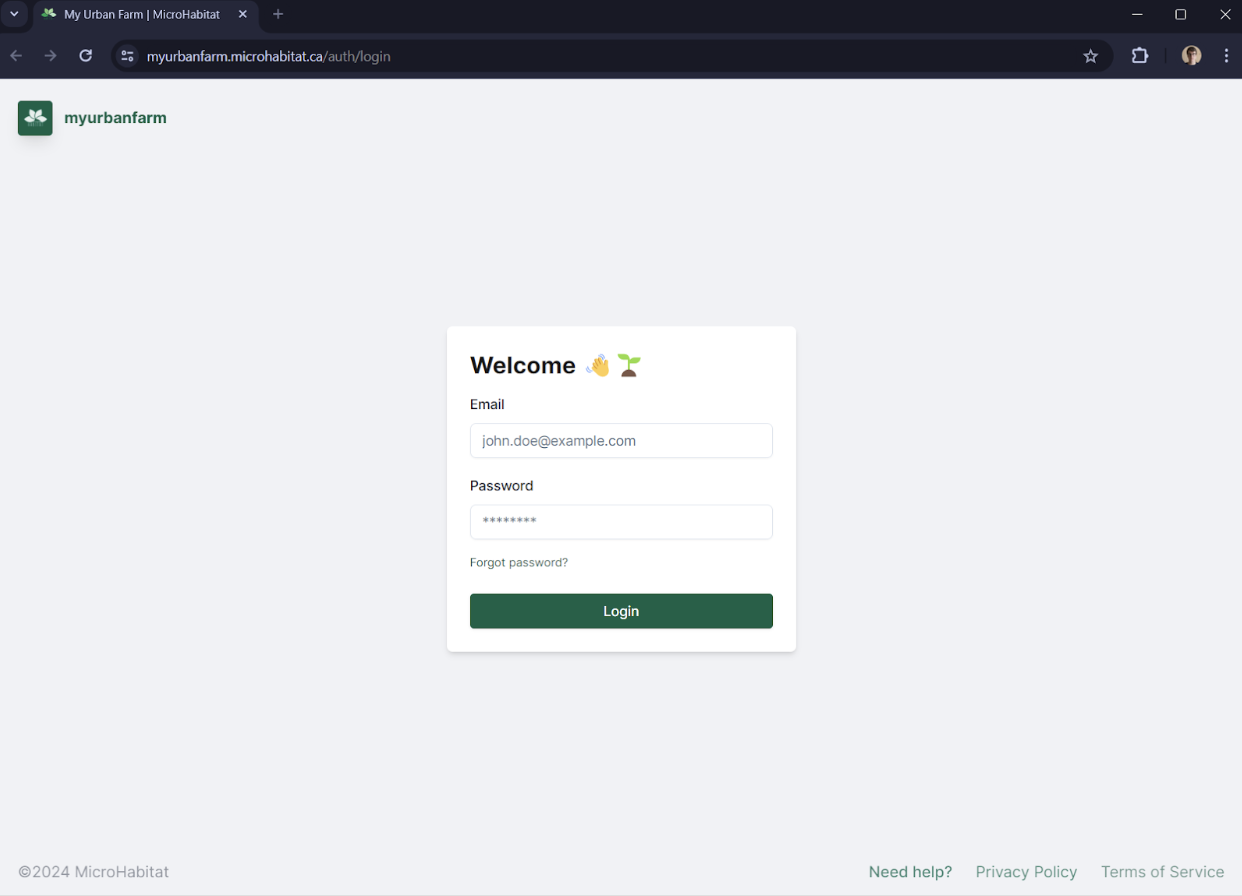
Here's a simple step-by-step guide to learn how to navigate in our new platform :
After completing the first segment of the platform, your Client Admin, you'll then move to your Farm Registration
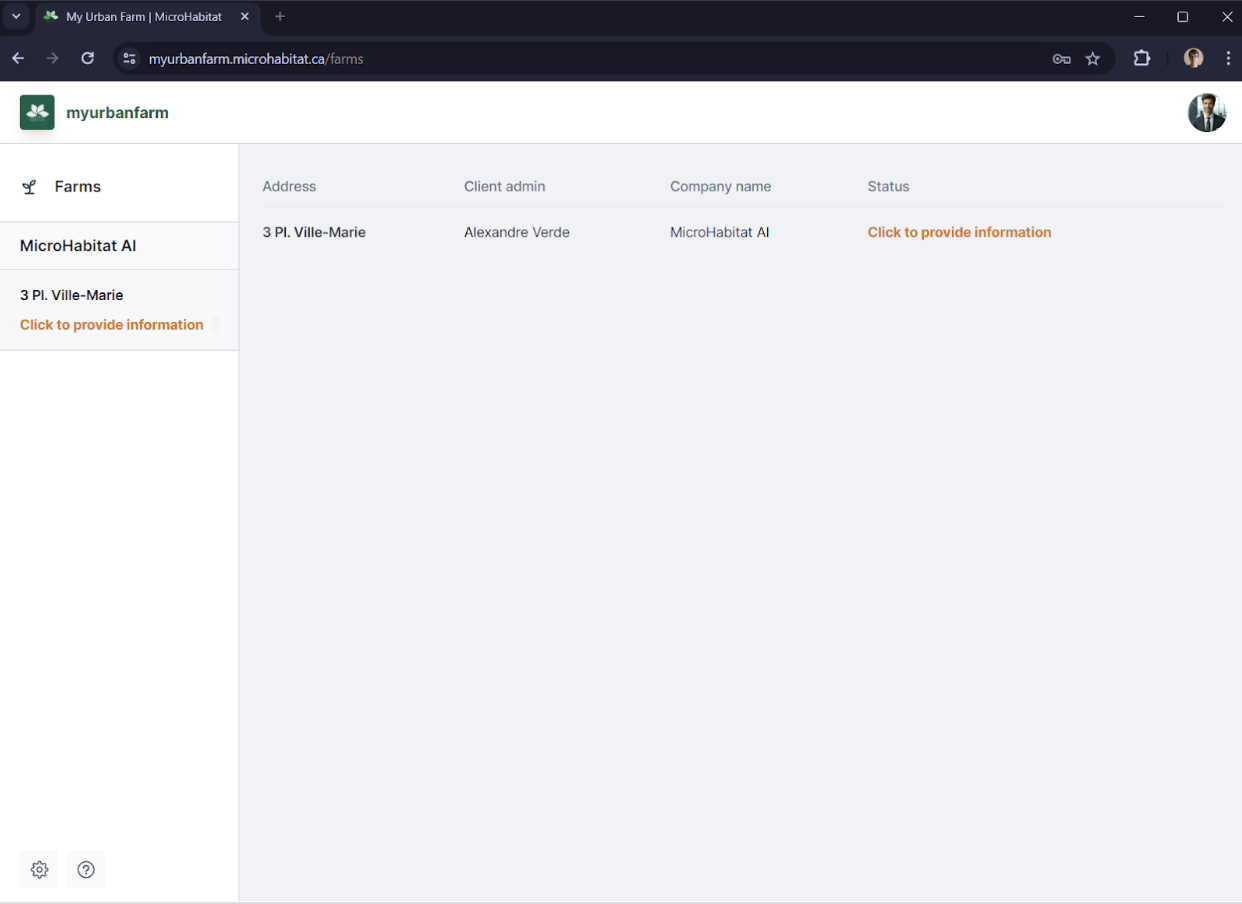
In order for MicroHabitat to create the feed for your urban farm, we ask that you provide the necessary details. To do so, please click on: Click to provide information.
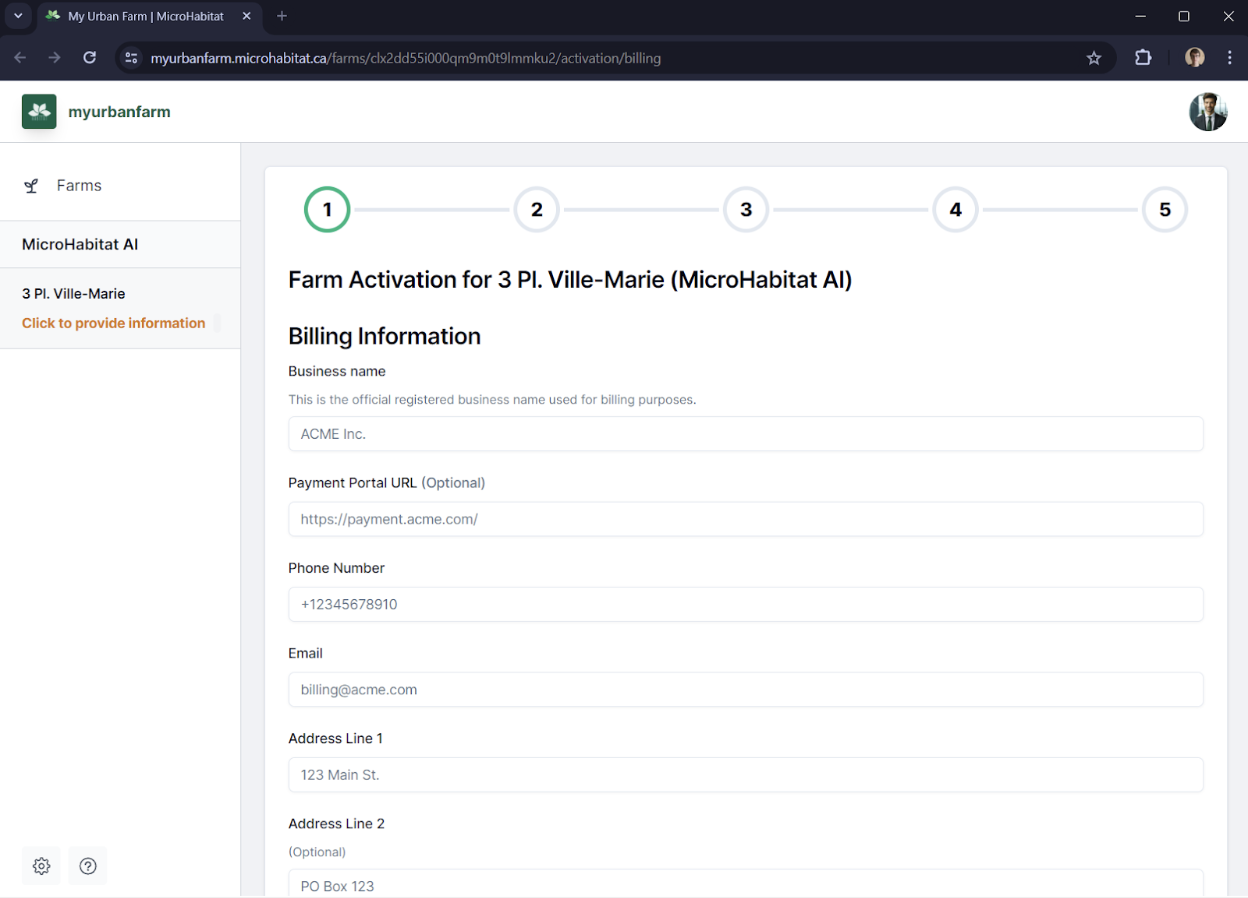
In order to provide the billing information that relates to your urban farm, please provide the details requested inside the form you are presented with. Once all necessary information has been entered, please click on: Register billing information.
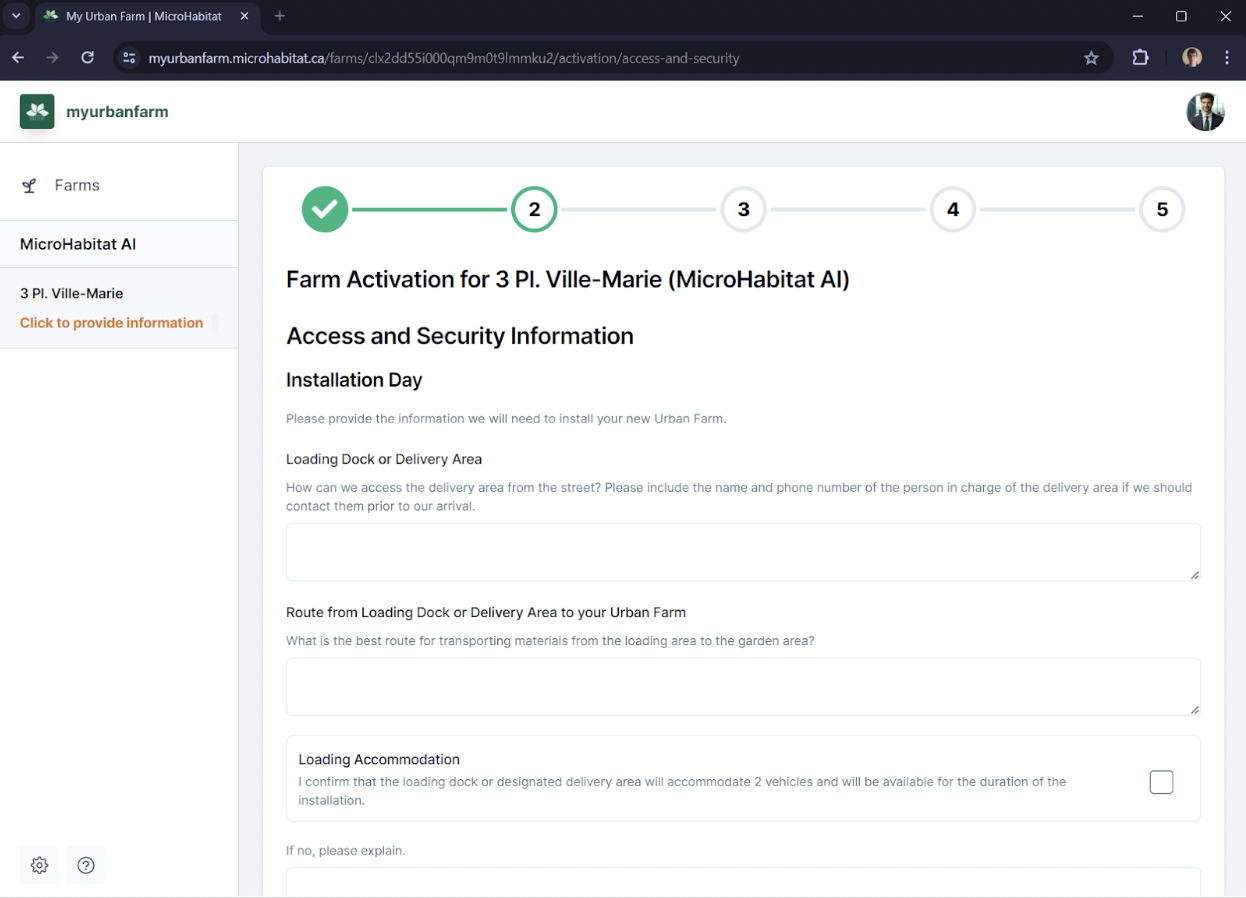
To ensure we have everything on file for your farming season and operation, please complete the Step 2 Access and Security. Once all necessary information has been entered, please click on Register Farm Access & Security Information.
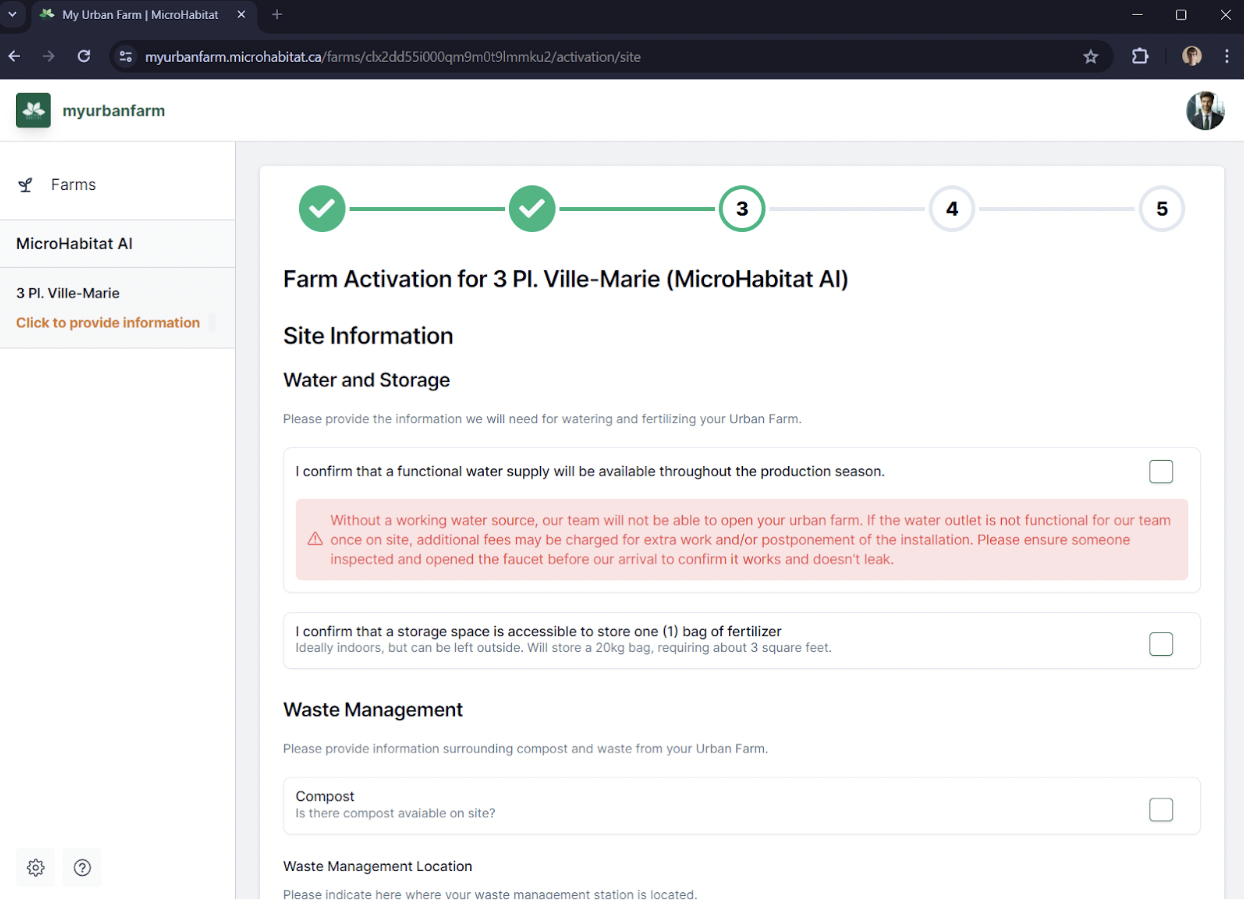
To ensure we confirm all necessary details for the installation day and season, please complete section 3. Once all necessary information has been entered, please click on Register Site Information.
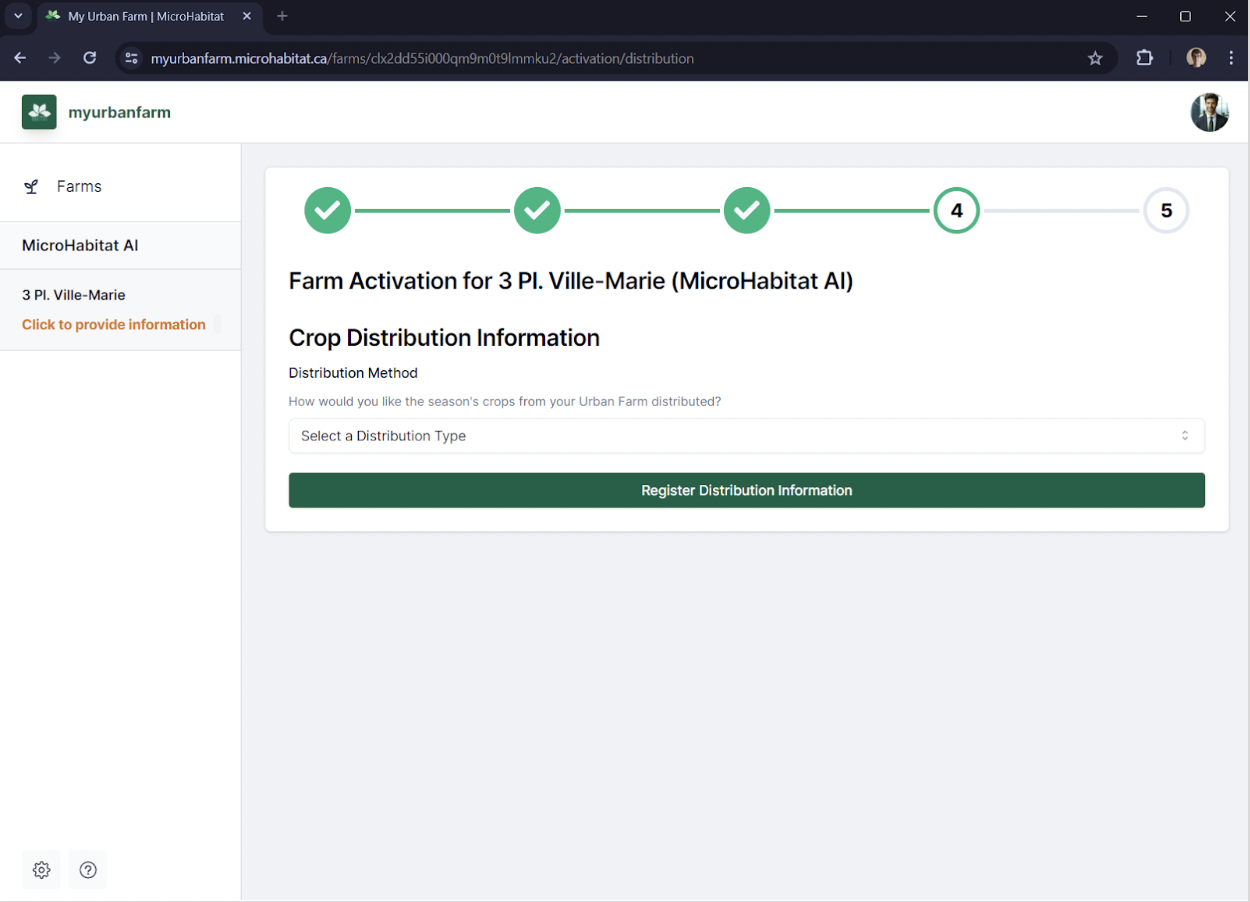
Your second to last step is to confirm where you'd like to have your harvest drop-off for the season. Once all necessary information has been entered, please click on Register Crop Distribution Information.
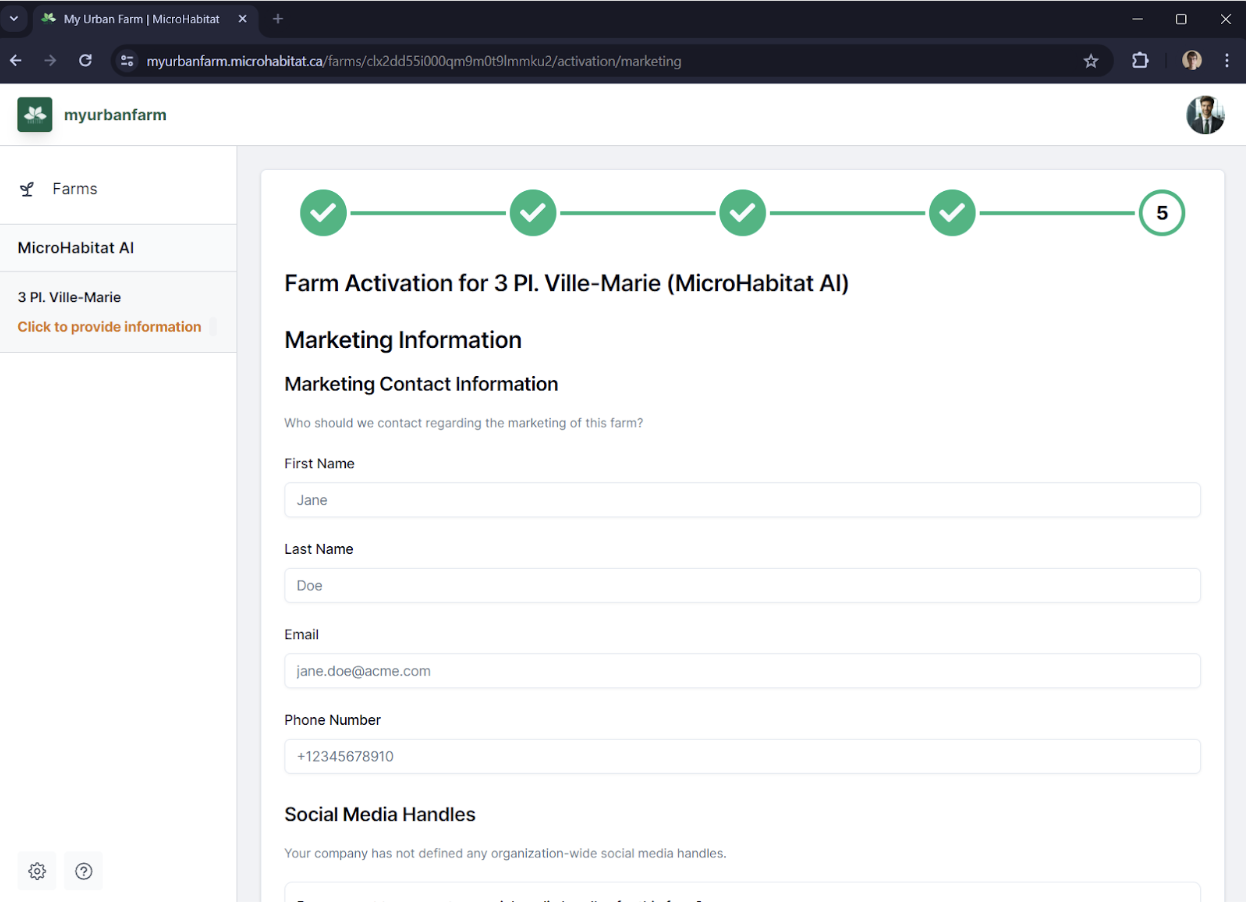
Your last step is to confirm the marketing contact and tag for your company and/or urban farm. Once all necessary information has been entered, please click on Register Marketing Information.
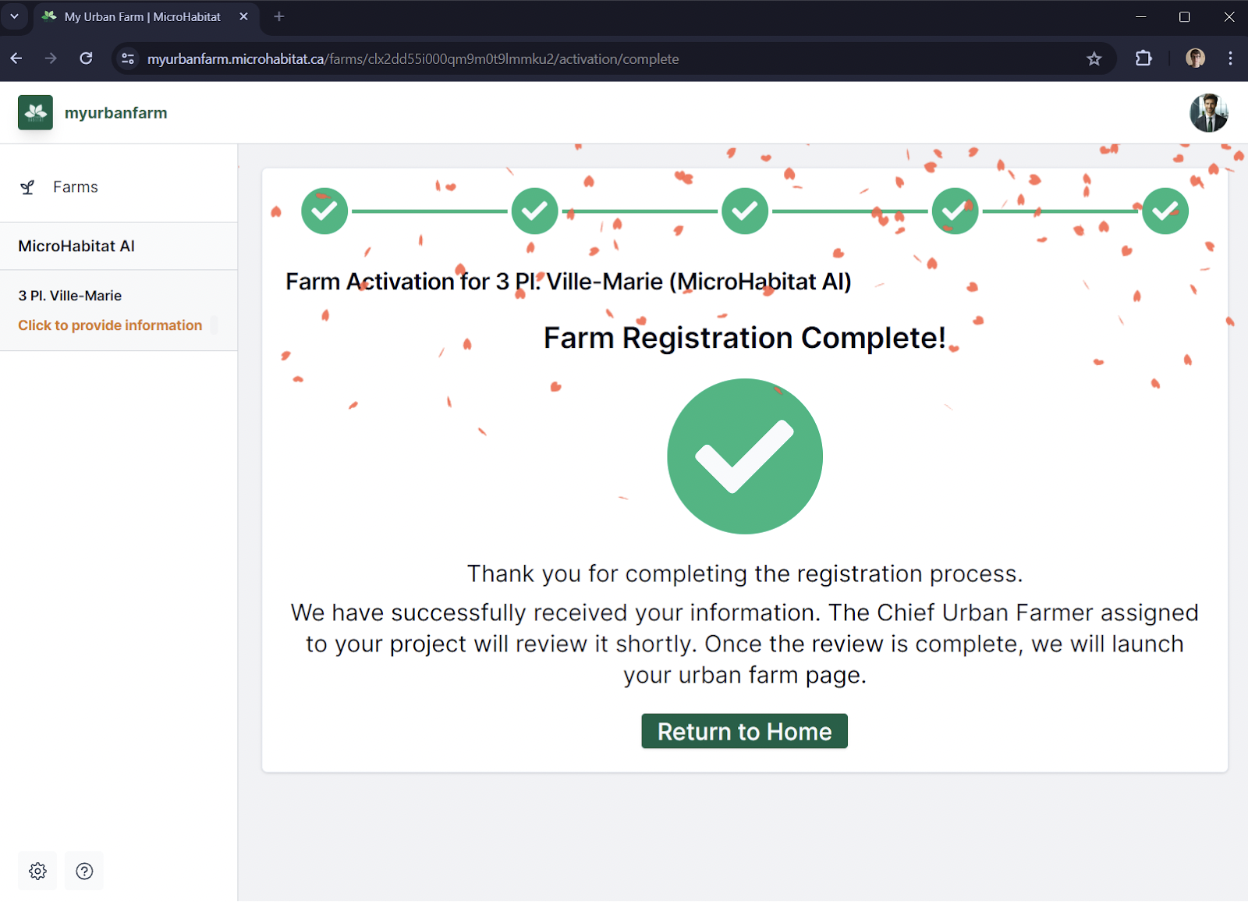
Congratulations! You’ve successfully submitted the necessary information for MicroHabitat. A Chief Urban Farmer will review the information, and you will be notified by email when your farm has been activated. In order to go back to your dashboard, please click on: Return to home.
Your farm will then be reviewed by your Chief Urban Farmer/Project manager and launch your Farm feed.
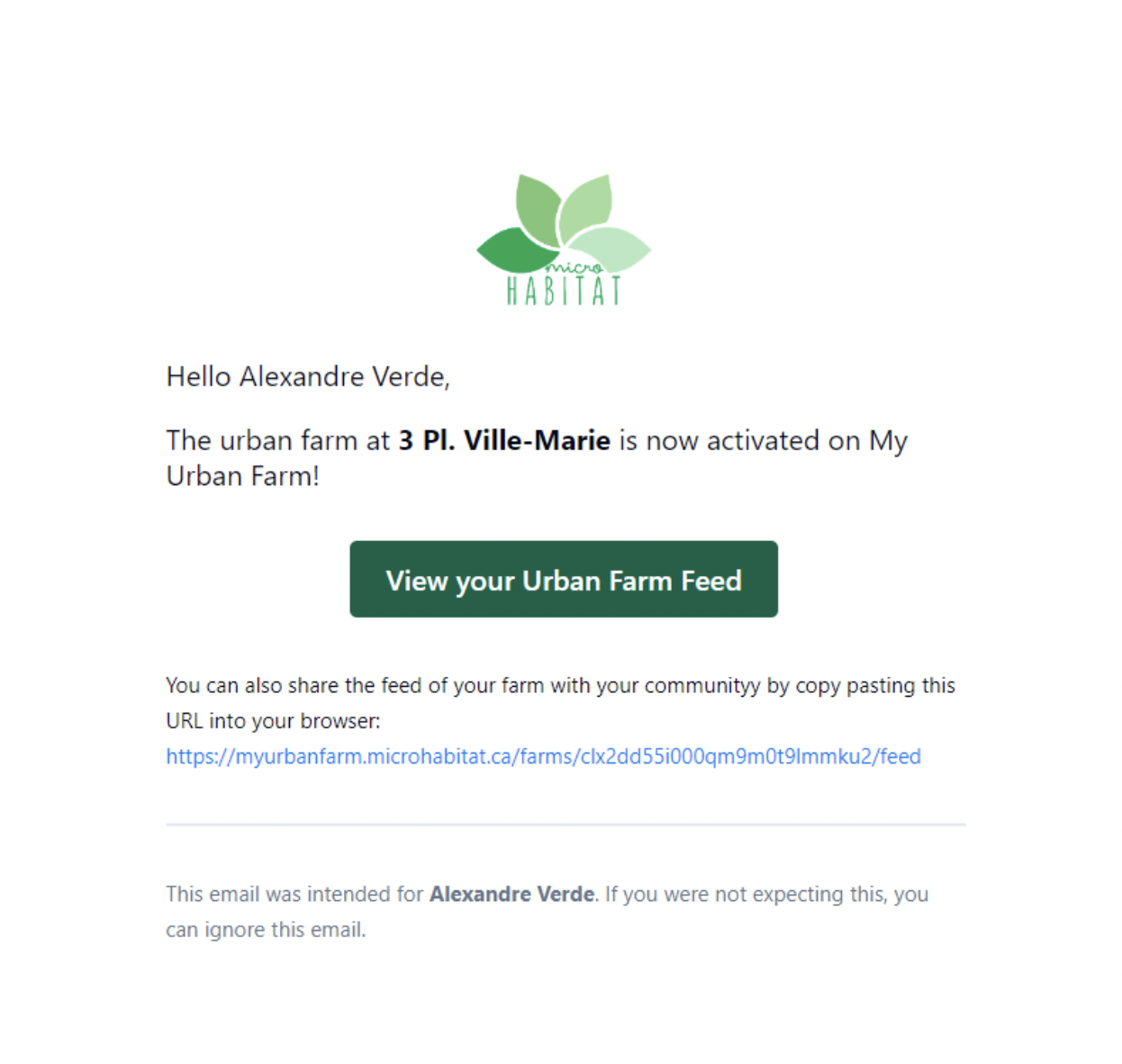
Once our Chief Urban Farmer has reviewed and approved the information you provided about your urban farm, you will receive an email notifying you of the activation of your farm. In order to access its feed, please click on: View your Urban Farm Feed.
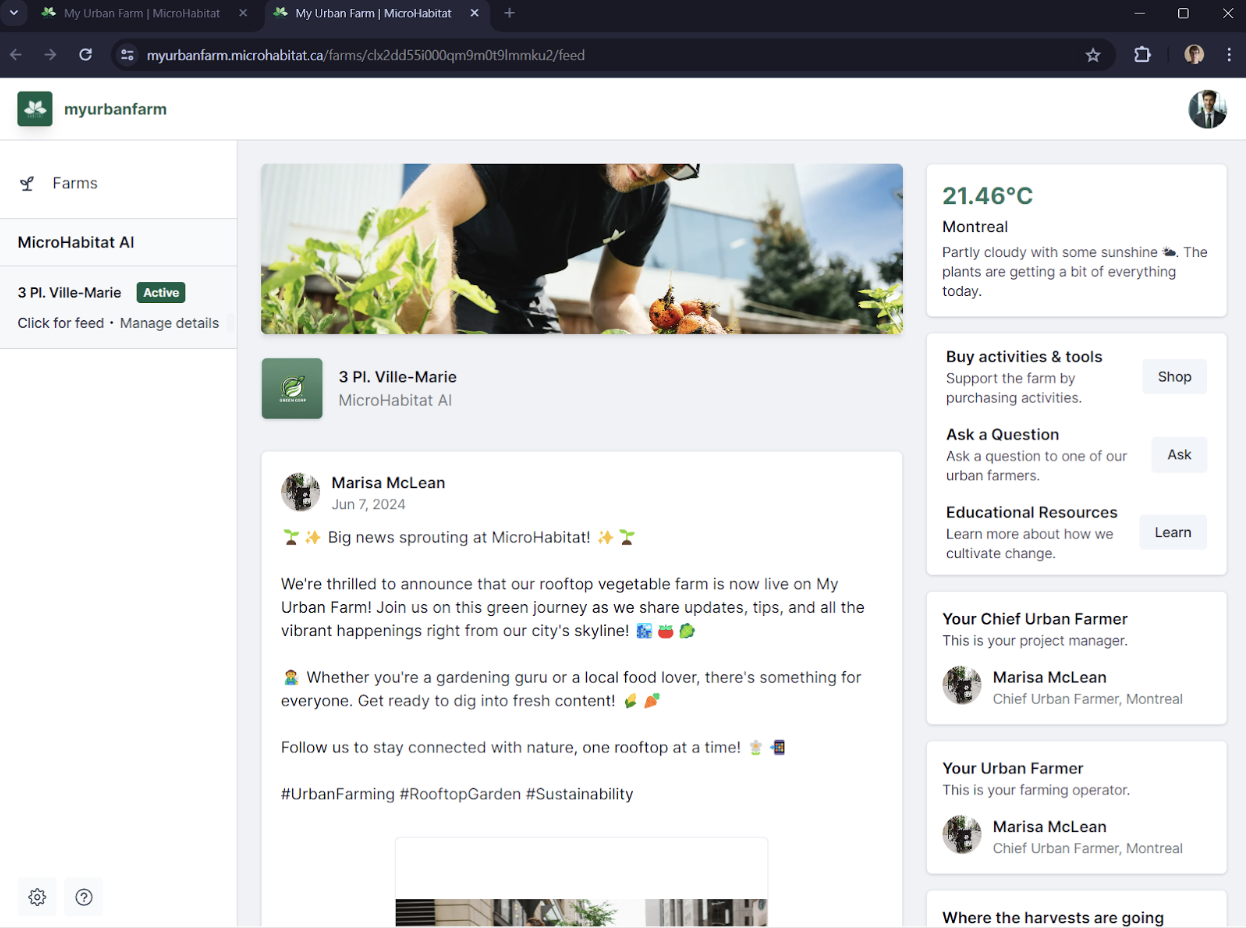
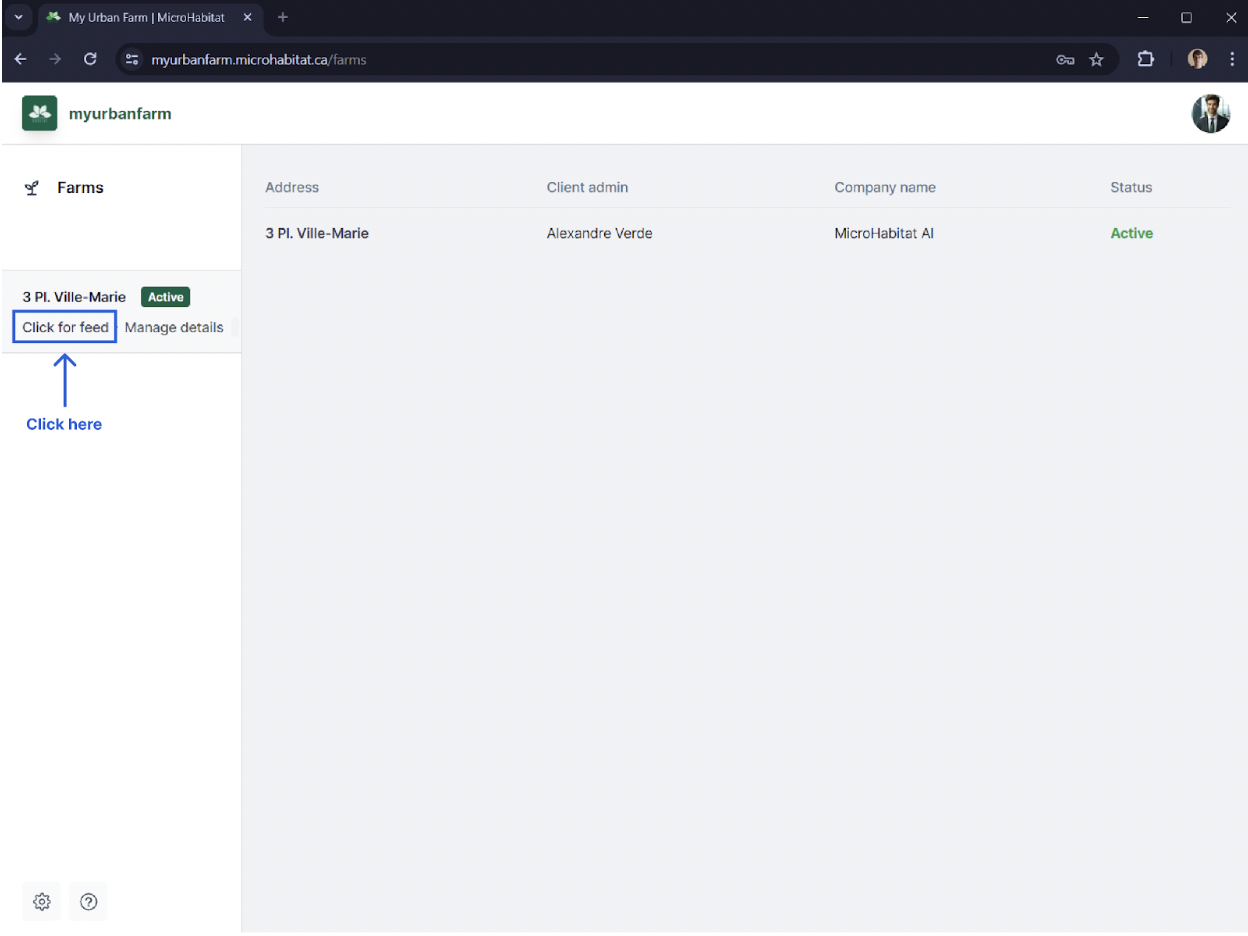
After completing the second segment of the platform, your Farm Registration, you'll then get to access your Farm Feed
You can now access the feed of your urban farm by clicking on: Click for feed.
Your feedback is valuable, that's why we got to create this platform! Please submit any questions or comments below.